Handheld scanner, mobile terminal or phone: which to use for a count
Three kinds of device can capture a count. Compare read speed, durability, battery, screen and data handling to match the device to the size and conditions of the job.
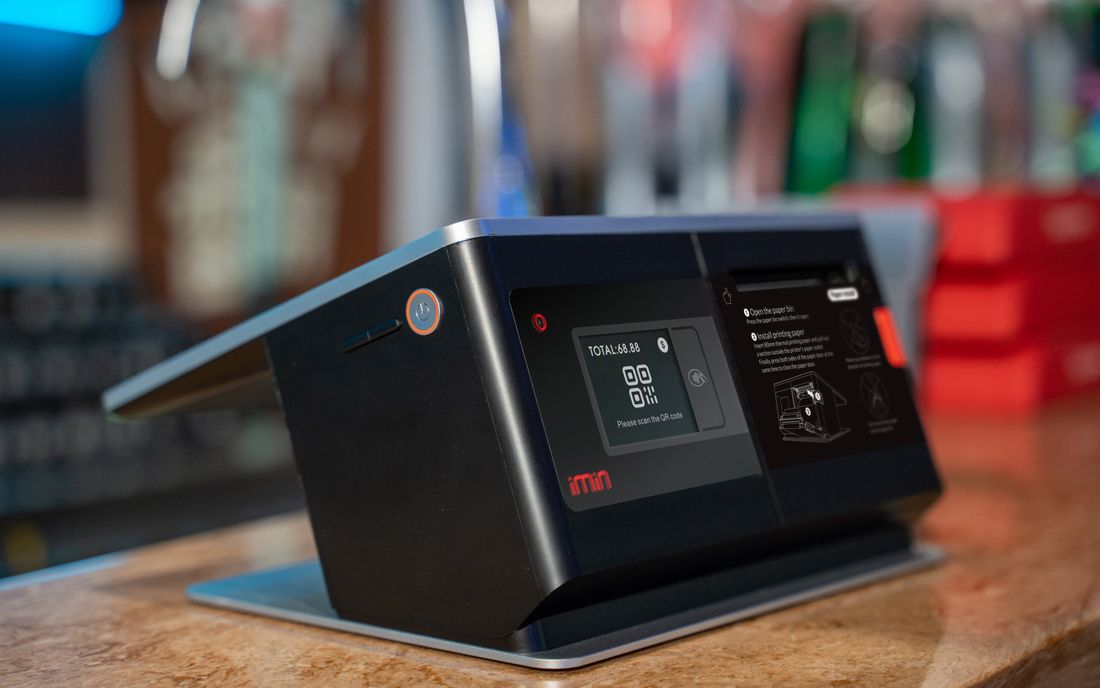
Three kinds of device can capture a count: a handheld barcode scanner, a mobile terminal (a rugged handheld computer with a scanner, a screen and memory), and an ordinary smartphone running a scanning application. All three read barcodes. They differ in how fast they read a damaged label, how they survive a fall onto concrete, how long the battery lasts through a shift, what appears on the screen and how the data is handled. Choose according to the nature of the job, not the price of the device.
Five criteria
- Reading speed and reliability: a dedicated scanner reads in a fraction of a second from a distance, and copes fairly well with creased or glossy labels. A phone camera takes time to focus and struggles in dim light and with small codes.
- Durability: think of drops onto concrete, dust, cold and rain. Dedicated devices are built for impact, while a phone in a case still has a screen that cracks easily.
- Battery: a shift is eight hours. Dedicated devices often have replaceable batteries, whereas a phone with the screen and camera on drains quickly and needs a power bank.
- Screen and input: to check the item name and enter quantities you need a screen. A scanner with a small screen or none cannot show what it has just read. A terminal with a numeric keypad is easy to use with gloves, while a touchscreen is awkward with gloves or wet hands.
- Data handling: does it store scans offline, can the data be exported as a file, and is it protected if the device is lost? A phone mixes personal contacts and notifications into the work, which interrupts people, so its use should be restricted. Always check that scans already taken survive if the device switches off in the middle of the work.
Matching the device to the job
- A small, short count (a few hundred lines, one location) with clean labels may be fine with phones, provided there are spare phones and chargers.
- A medium or large count, a full day's work, metal racks, dust or cold: a mobile terminal.
- A receiving bay with many simple readings and checking done on a computer: a handheld scanner connected to that computer.
- Mixing is normal. Counters use scanners or terminals, and supervisors check on a terminal with a larger screen. When several units are used together, choosing one model for all lets them share settings, chargers and spare parts.
- For cartons that are hard to open or assets spread over a wide area, use a UHF RFID reader separately.
For illustration, suppose 6,000 lines are to be counted. A worker reads one line every 12 seconds with a terminal (300 lines an hour) and one every 18 seconds with a phone because of focusing and screen taps (200 lines an hour). With four workers, the job takes 6,000 ÷ (4 × 300) = 5 hours against 6,000 ÷ (4 × 200) = 7.5 hours. The difference is two and a half hours. These speeds are assumptions, so time your own team.
Test before you decide
Thirty minutes is enough. Read 100 labels with each device, including awkward ones: faded, curved, tiny and on high shelves. Record the time taken, the misreads and the number of rescans. Ask the people who will use the devices which one feels right. Work out at the same time how many spares are needed and how everything will be charged (a charging rack, multi-socket strips), so that nothing surprises you on the day.
Summary
The best device is the one that fits the labels, the environment and the length of the shift. A cheap device can make the most expensive count. Smart Inventory combines handheld barcode scanners, mobile terminals and UHF RFID readers to suit the conditions of each site.